
Nano Banana 2.1: Google's Cheap Image Model for Bulk Visuals
Nano Banana 2.1 costs about $0.034 per 1K image via the API. When it's the smart pick for product shots and thumbnails, and prompts that keep products accurate.
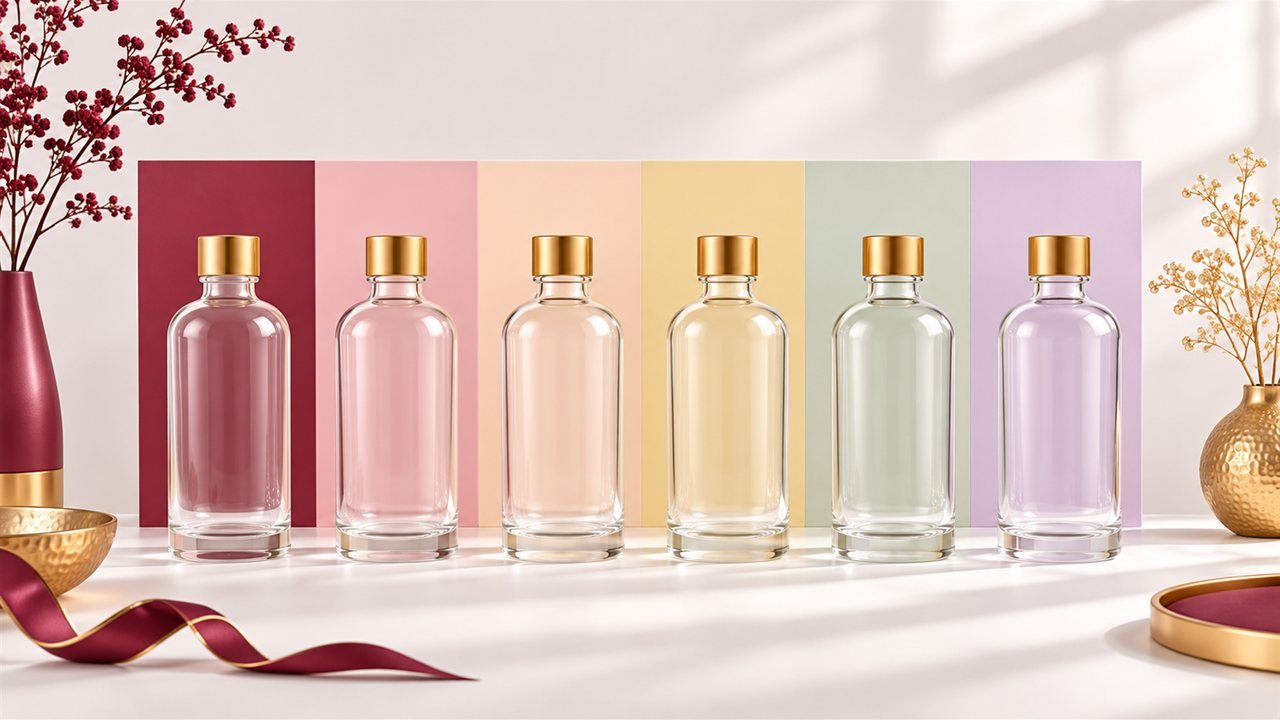
Nano Banana 2.1 is Google's image generation and editing model released on October 6, 2026, and its main selling point is price: roughly half what Nano Banana 2 cost per image. This guide explains when Nano Banana 2.1 is the right tool, what it really costs, and how to prompt it so your products stay accurate across many images.
What Nano Banana 2.1 is
Nano Banana is the nickname for Google's Gemini image models. Version 2.1 focuses on efficiency and editing. According to Decrypt's launch coverage and Google's announcement quoted there, the key features are:
- Mask-based editing: you mark one region and only that area changes.
- Subject consistency: a person or object keeps its look across several edits.
- Up to 14 reference images at once, tracking up to four characters and ten objects.
- Output up to 4K, with aspect ratios as wide as 8:1.
- Thinking levels: developers can choose how long the model "thinks" before drawing, from minimal to high.
- Search grounding: the model can look things up in Google Search and Google Image Search before drawing.
Google's own preference test gave Nano Banana 2.1 an Elo score of 1,050, against 990 for Nano Banana 2 and 935 for Nano Banana Pro. Those are self-reported numbers, and Decrypt notes independent tests were not available at launch. On the ThursdAI show, host Alex said every infographic on the episode was made with it and called it "really good" on high reasoning.
Where you can use Nano Banana 2.1
- Gemini app for quick, chat-based image work.
- AI Mode in Google Search.
- Google AI Studio and the Gemini API for developers and bulk jobs.
- Flow and Stitch, Google's creative and design tools.
- Google Ads for ad assets.
What Nano Banana 2.1 costs
Decrypt lists these Gemini Developer API prices per image:
- Standard 1K image: $0.0336 (Nano Banana 2: $0.067)
- 4K image: $0.0756 (Nano Banana 2: $0.151)
- Batch jobs: an extra 50% off
So 1,000 images at 1K cost about $33.60, compared with $67 on the previous model. ThursdAI lists the same $0.0336 figure. If you can wait for results, batch mode halves that again.
This is why Nano Banana 2.1 matters for bulk work. When you need dozens of variations, cost per image adds up fast, and a cheaper model means you can afford more tests.
When Nano Banana 2.1 is the smart pick
Use it when you need volume and editing, not one perfect hero image:
- Bulk product shots: the same product on many backgrounds for a marketplace catalogue or ad tests.
- Thumbnail variations: several backgrounds, expressions or colour schemes to test. Our AI thumbnail workflow shows the full process.
- Small edits on real photos: remove a distracting object, change the background, fix the colour of one area with a mask.
- Consistent series: a recurring character or mascot across a carousel.
- Infographic drafts: layouts you then check and correct.
Pick something else when you need the highest possible artistic quality for a single key visual, or when the image must contain long, exact text. For a side-by-side look at other models, see our AI image generators compared.
How to keep products accurate
The biggest risk with AI product images is a product that looks almost right: wrong logo shape, extra buttons, a different cap. That is misleading for buyers. Use this process:
- Start from real photos. Shoot your product from the front, side and top on a plain background in good light. These become your references.
- Edit, do not regenerate. Put the real product photo in and change only the background or scene. Mask-based editing protects the product area.
- Tell the model what must not change. Name the details: label, colour, shape, number of parts.
- Use a higher thinking level for complex scenes with several objects.
- Check every image at 100% zoom before publishing. Compare against the real item.
- Never add features the product does not have. No extra accessories or colours you do not sell.
Prompts that keep products accurate
Background swap:
Use the product in image 1 exactly as it is. Do not change its shape, colour, label, logo or proportions.
Place it on a light oak table next to a window with soft morning light. Add a small plant out of focus in the background.
Square format, realistic product photo, natural shadows.
Masked edit:
Only edit the masked area. Replace the cluttered background with a plain warm-grey studio wall.
Keep the product, its reflections and the table untouched.
Lifestyle variation set:
Using the product in image 1 unchanged, create 4 lifestyle scenes for an online shop:
1) on a desk with a laptop, 2) in a kitchen, 3) in a gym bag, 4) on a bedside table.
Same product size and angle in every scene. No text, no logos other than the product's own.
Thumbnail background test:
Keep the person in image 1 exactly the same. Create 3 versions with different backgrounds:
bright yellow studio, dark blue gradient, blurred city at night. High contrast, clean edges.
A bulk workflow that saves money
- Prototype in the Gemini app with a few images until the prompt is right.
- Freeze the prompt template and only change one variable per image (background, angle or season).
- Run the full set through the API in batch mode for the 50% discount.
- Generate at 1K first, then make 4K only for images you will actually use large.
- Review and reject anything that changes the product.
If you want your visuals to feel like one brand, combine this with the tips in our consistent brand visuals guide.
Mistakes to avoid
- Generating products from text only. The model will invent details. Always start from a real photo.
- Selling with AI images that misrepresent the item. Buyers will complain, and marketplaces can act on misleading listings.
- Trusting in-image text blindly. Check spelling and numbers on every infographic.
- Using 4K for everything. Most social and marketplace images do not need it.
- Skipping AI labels where required. Realistic AI images of people or events may need disclosure on social platforms.
Key takeaways
- Nano Banana 2.1 launched on October 6, 2026, with mask editing, up to 14 references and up to 4K output.
- API prices are about $0.0336 per 1K image and $0.0756 per 4K image, with 50% off in batch mode.
- It is best for bulk product scenes, thumbnail tests and edits of real photos.
- Keep products accurate by editing real photos, naming what must not change and checking every image.
FAQ
Is Nano Banana 2.1 free?
You can try it in the Gemini app. Through the API you pay per image, about $0.0336 for a standard 1K image.
Is Nano Banana 2.1 better than Nano Banana Pro?
In Google's own preference test it scored higher, but those numbers are self-reported. Test both on your own images.
Can Nano Banana 2.1 edit only part of a photo?
Yes. Mask-based editing changes only the area you mark.
Sources
Read next
 NEW
Free Apps for Content Creators: Best Open-Source Stack for 2027
The best free apps for content creators for 2027: recording, screen capture, editing, audio, subtitles and thumbnails, all open source and watermark-free.
Read more
 NEW
Facebook Creator Fast Track: Guaranteed Pay for Moving Creators
Facebook Creator Fast Track pays established creators for three months to post Reels. Who qualifies, the posting rules, pay tiers and whether to repurpose.
Read more
 NEW
FFmpeg Skill: Edit Videos by Chatting With Your Coding Agent
The open-source FFmpeg skill gives Claude Code, Cursor or Codex 42 local video tools. Trim, caption, resize for Reels and batch-export just by asking.
Read more