
Free Apps for Content Creators: Best Open-Source Stack for 2027
The best free apps for content creators for 2027: recording, screen capture, editing, audio, subtitles and thumbnails, all open source and watermark-free.
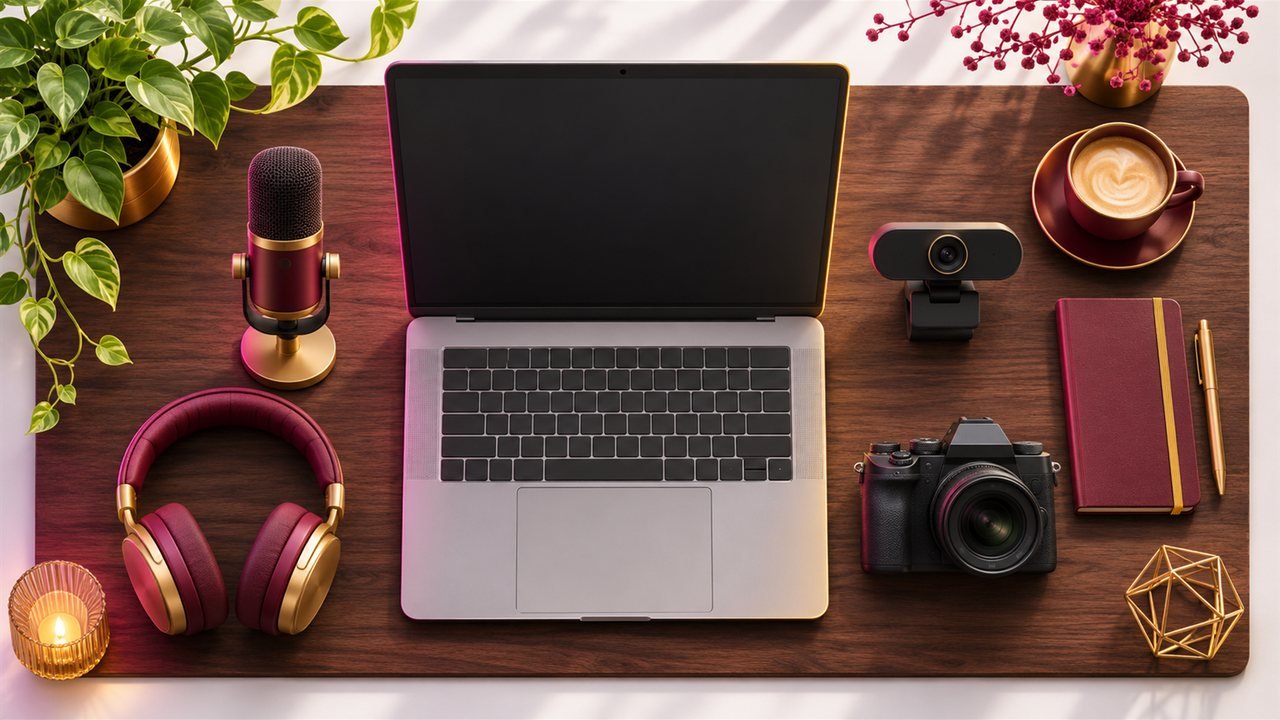
These are the free apps for content creators that I would install on a fresh laptop heading into 2027: one tool for each step from recording to subtitles, all open source and without watermarks. For each one you get what it does, what it replaces and the catch you should know before relying on it.
How I picked these free apps for content creators
Every app here is:
- Open source, with the code public on GitHub
- Actively maintained, with releases in the last few months of 2026
- Free to use for the core job, with no watermark on exports
Star counts and versions below come from the project pages in November 2026. Licences are listed so you know the terms; open each repo and check for yourself before you rely on it for client work.
If you are also buying gear, our guide to creator kits at three price levels pairs well with this software stack.
1. Recording and streaming: OBS Studio
What it is: "free and open source software for live streaming and screen recording". About 79.8k stars, GPL-2.0.
What it does well: scenes made from many sources (screen, webcam, images, browser windows, capture cards), an audio mixer with filters such as noise suppression and noise gate, Studio Mode to preview before going live, hotkeys and plugins.
Latest: OBS Studio 33.0 shipped on 23 October 2026, with a newer embedded browser engine (CEF 150), better source snapping and a plugin loading overhaul. 33.0.2 followed on 20 November 2026 with many fixes.
Replaces: paid streaming and recording software.
Catch: it takes an evening to learn scenes and audio routing. Our OBS Studio 33 guide includes settings for low-spec laptops.
2. Quick screen recordings: Cap
What it is: an open-source Loom alternative for fast, shareable screen recordings. About 25.3k stars; most code is AGPLv3, with some crates under MIT.
What it does well: Instant Mode uploads while you record and gives you a link when you stop; Studio Mode records locally and opens an editor with backgrounds, zooms, trimming and captions. Version 0.6.3 (11 November 2026) added transcript-based editing, filler-word cleanup and Voice EQ.
Replaces: Loom-style tools for tutorials and client walkthroughs.
Catch: the free plan is for personal use only, with 25 shareable links a month up to 5 minutes each. Commercial use needs a paid plan, according to Cap's pricing page. Details in our Cap screen recording guide.
3. Video editing: Shotcut
What it is: a free, open-source, cross-platform video editor built with Qt on the MLT framework. About 15.7k stars, GPLv3.
What it does well: native timeline editing without importing, 4K and 8K support, proxy editing for slow laptops, colour wheels and LUTs, chroma key, stabilisation, motion tracking, speech-to-text subtitles and hardware-accelerated encoding.
Latest: Shotcut 26.11 (15 November 2026) added an Audio Mixing Assistant under Timeline, Edit. September's release brought automatic audio ducking and adjustment clips.
Replaces: paid desktop editors for most YouTube and short-form work.
Catch: the interface is dense at first. If you want something simpler, compare it in our Shotcut vs OpenShot 4 article.
4. Quick trims without re-encoding: LosslessCut
What it is: an FFmpeg-based tool for lossless cutting. About 46k stars, GPL-2.0.
Why you want it: cut a two-hour live recording into the parts you need in seconds, with no quality loss. Cuts start at keyframes, so they may land slightly earlier than you chose. GitHub downloads are free; store versions are paid to support the developer.
5. Audio: Audacity 4
What it is: the classic free audio editor, rebuilt on Qt in version 4. About 19.1k stars, GPLv3.
What it does well: realtime track effects and master effects, a Noise Reduction effect, Loudness Normalisation, workspaces including a Classic one, and cloud saving to audio.com.
Catch: .aup4 projects cannot be saved back to .aup3, and some features such as MIDI tracks and the Mixer are listed as not yet available in 4.0. Our Audacity 4 guide includes a clean-voice preset chain.
6. Subtitles: Subtitle Edit, Buzz and whisper.cpp
- Subtitle Edit (MIT, about 15.1k stars) is a full subtitle editor for Windows, macOS and Linux, with waveform tools, many formats and speech-to-text engines, including whisper.cpp. Version 5.5 betas were shipping almost daily in November 2026.
- Buzz (MIT, about 22.9k stars) transcribes and translates audio offline with Whisper and exports TXT, SRT and VTT.
- whisper.cpp (MIT, about 55.4k stars) is the command-line engine for people who like scripts.
Replaces: paid per-minute transcription for most everyday captions.
Catch: always proofread names, brands and slang. Workflow in our free auto subtitles guide.
7. Thumbnails and photos: darktable, rembg and Upscayl
- darktable (GPL-3.0) is a raw photo developer with non-destructive editing. Its README says it is not a free Lightroom replacement, but it covers editing well.
- rembg (MIT) removes backgrounds in bulk, handy for thumbnail cutouts. Check model licences before commercial use.
- Upscayl (AGPL-3.0) enlarges small images with AI, but needs a Vulkan GPU and cannot fix blur.
Pair them with any free design tool for text and layout.
8. Scheduling: Postiz
What it is: an open-source social media scheduler (AGPL-3.0, about 42k stars) for Instagram, TikTok, YouTube, LinkedIn, X and more. Self-hosting is free; the hosted plans are paid with a 7-day trial. See our Postiz guide.
A simple weekly workflow with this free stack
- Record long-form or live with OBS, quick explainers with Cap.
- Trim raw recordings with LosslessCut.
- Clean audio in Audacity and export.
- Edit in Shotcut.
- Subtitle with Buzz or Subtitle Edit, then proofread.
- Thumbnail with darktable, rembg and your design tool.
- Schedule clips and posts with Postiz.
If you want to compare with AI-first paid tools, our Descript and CapCut AI editing workflow shows the other side.
Key takeaways
- A complete creator stack is possible with free, open-source apps: OBS, Cap, Shotcut, LosslessCut, Audacity, Subtitle Edit or Buzz, darktable and Postiz.
- Check licences and terms: Cap's free plan is personal-use only, and some AI models have commercial restrictions.
- Every tool here had a release in late 2026, so the projects are active.
- Learn one tool per week instead of installing everything at once.
FAQ
Are these free apps for content creators safe?
Download only from the official project sites or GitHub releases, and keep them updated.
Do they add watermarks?
None of the editors listed here add watermarks to exports.
Can I use them commercially?
Most licences allow commercial use of the software, but check each project's terms. Cap's free plan, for example, is personal-use only.
Sources
Read next
 NEW
Facebook Creator Fast Track: Guaranteed Pay for Moving Creators
Facebook Creator Fast Track pays established creators for three months to post Reels. Who qualifies, the posting rules, pay tiers and whether to repurpose.
Read more
 NEW
FFmpeg Skill: Edit Videos by Chatting With Your Coding Agent
The open-source FFmpeg skill gives Claude Code, Cursor or Codex 42 local video tools. Trim, caption, resize for Reels and batch-export just by asking.
Read more
 NEW
Instagram Your Algorithm: How to Reset What Reels Show You
Use Instagram Your Algorithm to clean up Reels, Explore and Feed step by step, and see how creators can read the same topic signals to reach the right viewers.
Read more