
ChatGPT GIF Maker in Images 2.6: Photos to GIFs, SVG Catch
How to make a ChatGPT GIF with Images 2.6 for stickers, reactions and product teasers, what the loops really look like, and why SVG export is API-only.
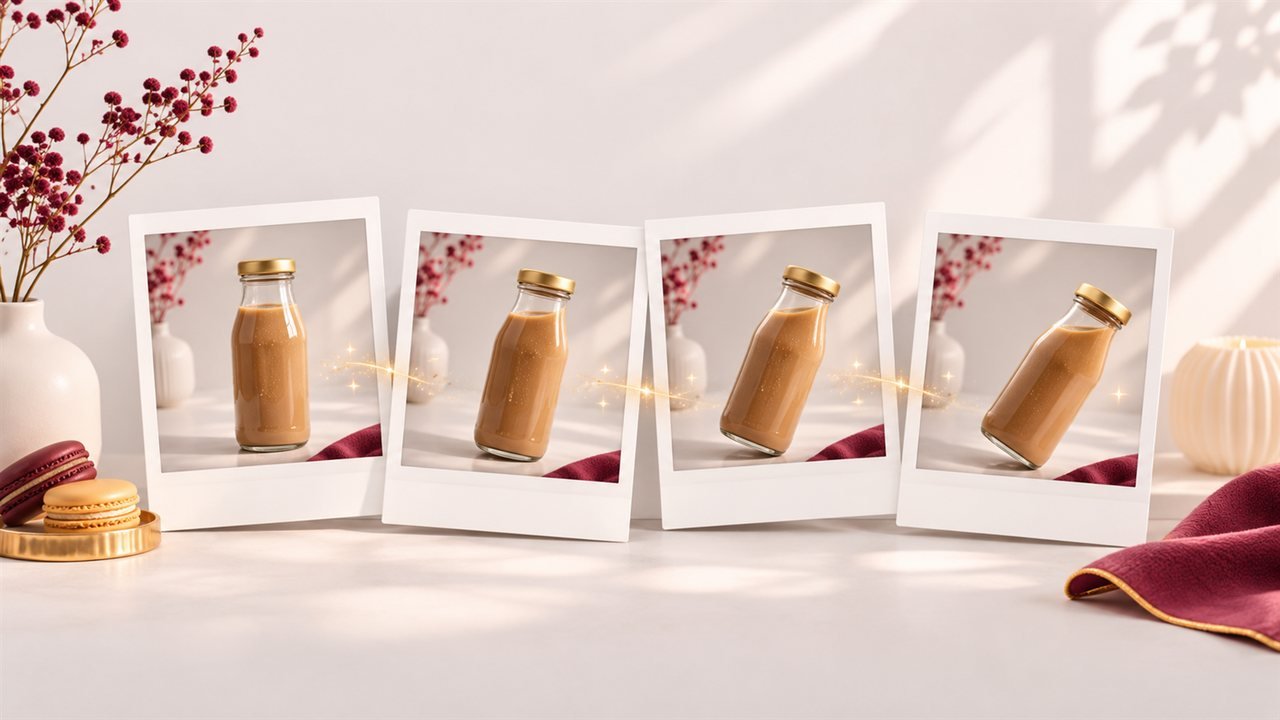
You can now make a ChatGPT GIF in one step: describe an animation or upload a photo, and Images 2.6 returns a short looping GIF. This tutorial shows how to get good results for reaction GIFs, stickers and product teasers, what the output actually looks like, where it breaks, and why SVG export is only in the API.
What Images 2.6 added
OpenAI announced Images 2.6 on 4 November 2026. According to The Next Web and Digital Trends:
- GIF creation from a text prompt or an uploaded photo, in ChatGPT, Codex and the API.
- After creating a GIF you can change playback speed, view and edit individual frames, and share it, The Next Web reports.
- Image generation is about 50% faster than the previous version, per OpenAI.
- Better consistency for characters, products and brand elements across edits.
- Two API models: GPT-Image-2.6 Flare for speed and GPT-Image-2.6 Sunburst for detail and consistency.
The Next Web says the rollout covers all ChatGPT and Codex users on web, desktop and mobile, but other reports say GIF creation is rolling out gradually. If you do not see it yet, it may simply not have reached your account.
What a ChatGPT GIF really is
Set expectations before you start. PromptsLove's hands-on review describes the output as a short flipbook of slightly varied frames, not video. Its testers saw 6 to 12 frames and loops of roughly 1 to 2 seconds.
That is perfect for:
- Reaction GIFs and memes
- A mascot that waves or blinks
- A product that spins slightly, sparkles or bounces
- A logo or badge with a small motion
It is not a replacement for a video generator. Long motion, camera moves and story scenes are outside what it does well.
How to make a ChatGPT GIF, step by step
- Open ChatGPT and start a new chat.
- Upload a photo (optional). A clean product shot or a simple drawing works best. Digital Trends notes even a basic doodle can become an animated character.
- Ask for a GIF explicitly and describe one simple motion.
- Check the result, then adjust playback speed or individual frames if the option appears.
- Download and test it where you plan to use it.
Prompt templates
Reaction GIF: "Make an animated GIF of a cartoon cat slowly raising one eyebrow, plain pastel background, smooth seamless loop, 8 frames."
Product teaser: "Turn this photo of my coffee bottle into a GIF: the bottle stays still while light sparkles move across the label, seamless loop, keep the label exactly as in the photo."
Mascot: "Animate this doodle of my brand mascot waving hello, simple flat colors, loop back to the starting pose."
Sticker-style: "Create a GIF of a thumbs-up hand popping in and bouncing once, white background, bold outline, loopable."
Tips that improve results
- One motion per GIF. Wave, blink, spin or sparkle, not all four.
- Ask for a seamless loop and for the last frame to match the first.
- Keep text out or minimal. PromptsLove found text errors and splotchy frames on harder prompts.
- Protect the product. Tell it to keep the label, logo and shape unchanged, then check every frame.
- Iterate small. Change one thing per retry.
Where it struggles
PromptsLove's testing found simple, small motion looped well, but harder prompts showed:
- Uneven pacing
- A visible jump at the loop point
- Unrequested marks and splotchy frames
- Text errors
It also notes the 50% speed claim held for Flare in one vendor test but not for Sunburst, which that test found slower than its predecessor.
Using GIFs in real campaigns
GIFs behave differently on every platform. From PromptsLove's notes:
- Email: Outlook 2007 to 2019 shows only the first frame, so make the first frame work on its own.
- Ads: Google Ads caps uploaded GIFs at 150 KB. A tester's 6-frame GIF came out around 452 KB, so you may need to compress or reduce frames.
- Accessibility: keep loops short, offer a static fallback, and avoid endless flashing motion.
For social posts, many platforms convert GIFs to video anyway, so test the upload. If you need to batch-convert or resize clips, our guide to the FFmpeg skill for coding agents shows a local way to do it.
When you post AI-made animations commercially, check each platform's AI labeling rules. Our AI disclosure label guide covers them.
The SVG catch
Images 2.6 can output SVG, the vector format that stays sharp at any size and is ideal for icons, logos and web graphics. But Digital Trends lists SVG export under the API features, and PromptsLove found no statement that the ChatGPT app exports SVG. One vendor test in launch week got only 9 of 48 SVG requests through, so retries are needed even via the API.
What to use instead
- If you are not a developer: generate a clean, flat PNG in ChatGPT, then trace it into vectors with a design tool's image trace feature, and clean up the paths by hand.
- If you are a developer: call the API with SVG output, validate the file, and retry on failure.
- For logos: use AI for ideas only, then rebuild the final mark as a proper vector. A logo needs clean geometry, not a traced approximation.
Costs for developers
Both API models cost $30 per million image output tokens, according to PromptsLove, and OpenAI does not publish a flat per-image price. Track usage before running large batches. Our AI image generator comparison puts this in context with other models.
Key takeaways
- Images 2.6 lets you make a ChatGPT GIF from a prompt or a photo, then adjust speed and frames.
- Expect short flipbook loops of about 6 to 12 frames and 1 to 2 seconds, best for simple motion.
- Keep one motion, minimal text and a seamless loop; check product details frame by frame.
- Watch file size for ads and email, and test on each platform.
- SVG export is an API feature; in ChatGPT, trace a flat PNG or rebuild vectors by hand.
FAQ
Can free ChatGPT users make GIFs?
The Next Web says the rollout covers all ChatGPT users, but GIF creation is reported to be arriving gradually, so check your account.
How long are ChatGPT GIFs?
PromptsLove's testers saw about 6 to 12 frames, looping for roughly 1 to 2 seconds.
Can ChatGPT export SVG files?
SVG output is documented for the API models. There is no confirmation that the ChatGPT app exports SVG.
Sources
Read next
 NEW
Free Apps for Content Creators: Best Open-Source Stack for 2027
The best free apps for content creators for 2027: recording, screen capture, editing, audio, subtitles and thumbnails, all open source and watermark-free.
Read more
 NEW
Facebook Creator Fast Track: Guaranteed Pay for Moving Creators
Facebook Creator Fast Track pays established creators for three months to post Reels. Who qualifies, the posting rules, pay tiers and whether to repurpose.
Read more
 NEW
FFmpeg Skill: Edit Videos by Chatting With Your Coding Agent
The open-source FFmpeg skill gives Claude Code, Cursor or Codex 42 local video tools. Trim, caption, resize for Reels and batch-export just by asking.
Read more