
Budget Creator Setup at $100, $500 and $1,500: What to Buy First
Building a budget creator setup? Here is the order to buy gear in, how to split your money at $100, $500 and $1,500, and which purchases to skip.
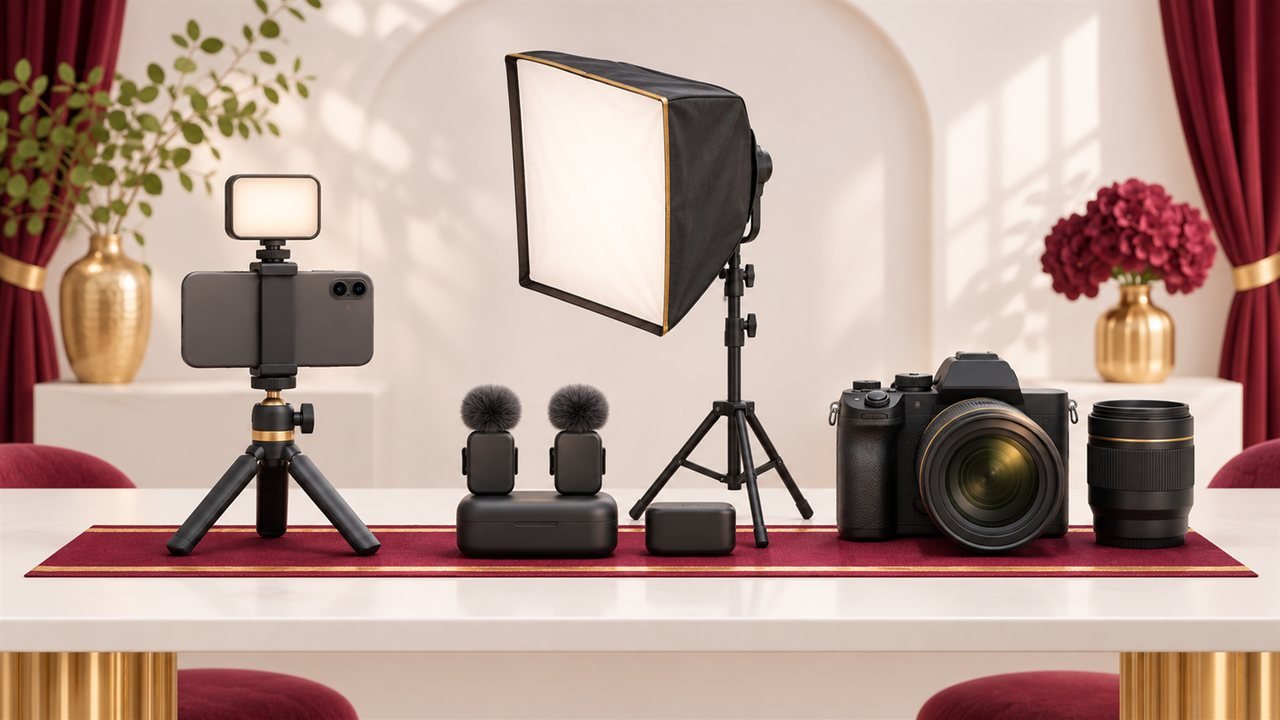
You do not need expensive gear to start creating, but you do need the right gear in the right order. This budget creator setup guide gives you three plans, explains how to split the money, and lists the mistakes that waste the most cash.
A quick note: prices differ a lot between countries and change during sales. Use these budgets as planning targets, and check current prices in your local stores.
The golden order for a budget creator setup
For almost every creator, this is the order that improves content the most per dollar:
- Audio (a mic)
- Light (one soft light, or a window)
- Stability (a tripod or grip)
- Storage (enough space and a backup)
- Camera (only after the four above)
Most beginners do the opposite: they buy a camera first and then wonder why their videos still look and sound amateur.
Budget 1: around $100 (phone creator starter)
You already own: a smartphone made in the last few years.
How to split it:
- About 40% on audio: a basic wired clip-on mic for your phone, or an entry wireless mic kit during a sale. Our microphone buying guide for creators explains wireless, USB and shotgun options.
- About 30% on light: a small LED panel with a diffuser, or a compact ring light if you film beauty or makeup.
- About 20% on stability: a phone tripod with a clamp that can also act as a handheld grip.
- About 10% on extras: a cleaning cloth, a cable or adapter your mic needs.
Free upgrades:
- Film facing a window for soft daylight.
- Record in a small room with a bed, sofa or curtains to cut echo.
- Clean your phone lens before every shoot.
Best for: TikTok, Reels, Shorts, beginner YouTube, live selling.
Budget 2: around $500 (serious phone or entry camera setup)
How to split it:
- About 35% on audio: a two-transmitter wireless kit with a charging case and backup recording. This covers vlogs, interviews and two-person podcasts.
- About 25% on light: a key light with a softbox, plus a small background light. Placement matters as much as the light itself; see the video lighting guide for home creators.
- About 15% on stability: a sturdy tripod, and either a phone gimbal or a good handheld grip.
- About 20% on storage: an external SSD for projects and a hard drive for backup. A common rule is 3-2-1: three copies of your files, on two different devices, with one copy off-site or in the cloud.
- About 5% on extras: a phone cage or mount, a spare power bank.
Optional swap: if you mostly vlog while walking, consider putting your light budget toward a pocket gimbal camera instead. But check availability in your country first.
Best for: regular YouTubers, freelancers making client content on a phone, course creators.
Budget 3: around $1,500 (hybrid camera setup)
How to split it:
- About 50–55% on camera and lens: an entry or mid-range mirrorless camera (new, used or previous generation) with a versatile lens. A used body with a good lens often beats a new body with a weak kit lens. If you're unsure whether you need a camera at all, read should you upgrade from your phone?
- About 15% on audio: a wireless kit with 32-bit float or backup recording, or a desk mic for voice-overs. 32-bit float gives you much more room to rescue audio that came out too loud or too quiet.
- About 15% on light: a COB light with a softbox as key light, plus a background light.
- About 10% on storage and cards: fast memory cards, an external SSD and a backup drive.
- About 5% on support: extra batteries, a good tripod head, a camera bag.
Best for: YouTube channels growing into sponsors, wedding and event beginners, product videographers, freelancers selling video services.
What to skip at every level
- Cheap gimbals for static shots. A tripod is better if you do not move.
- Huge ring lights for small rooms. A softbox or panel usually looks more natural.
- The top storage tier on a new phone if an external SSD works with your phone. Check your phone supports it first; for example, Apple says iPhone 15 Pro and newer Pro models can record ProRes video directly to a USB-C external drive.
- Too many accessories at once. Buy, use for a month, then decide the next upgrade.
- "Creator bundles" full of low-quality extras. Check every item in the bundle.
Smart buying tips
- Buy during real sales, but compare with the price history first (see the guide linked at the end).
- Consider certified refurbished gear from trusted sellers with a warranty.
- Check return policies. Test everything in the first week.
- Read reviews from creators who make content like yours, not just general tech reviews.
- Check regional availability and warranty. Some popular creator brands do not sell every product in every country.
Your first month with new gear
- Week 1: learn your mic. Test placement, levels and backup recording.
- Week 2: learn your light. Try different angles and distances.
- Week 3: build a routine: setup, record, back up, pack away. Our storage and backup system for creators makes this step easier.
- Week 4: review your last 10 videos. What is still the weakest part? Upgrade that next.
FAQ
What should I buy first as a new content creator?
A microphone. Viewers forgive average video far more easily than bad audio. After that, add soft light and a tripod before thinking about a camera.
Is a $100 creator setup enough to start?
Yes, if you already have a recent smartphone. A basic mic, a small light and a phone tripod are enough for TikTok, Reels, Shorts and live selling.
Key takeaways
- Buy in this order: audio, light, stability, storage, then camera.
- At $100, a mic, a small light and a tripod transform phone videos.
- At $500, add a wireless kit, a softbox and proper backup storage.
- At $1,500, a camera with a good lens makes sense, but keep budget for audio, light and storage.
For timing your purchases, read my guide on spotting real Black Friday tech deals.
Sources
Read next
 NEW
One UI 9.5 Beta: Galaxy S26 Changes and How to Join
One UI 9.5 beta is live for Galaxy S26 in six countries. Every confirmed change in camera, privacy, DeX and storage, how to join, and what Indonesia can expect.
Read more
 NEW
Gemini Intelligence on Pixel 10: Rambler, Widgets and Tasks
Gemini Intelligence on Pixel 10 brings Rambler voice typing, app automations and Create My Widget. What each feature does and where it works.
Read more
 NEW
Siri App Intents in iOS 27.3 Beta: Siri Can Use Any App
Siri App Intents in the iOS 27.3 beta let any developer plug their app into Siri AI. What it means for iPhone users, what to try now and how to prepare.
Read more