
rembg: Remove Backgrounds in Bulk, Offline and for Free
Remove backgrounds in bulk for free with rembg: process a whole folder of product photos offline, pick the right model and avoid a licence trap.
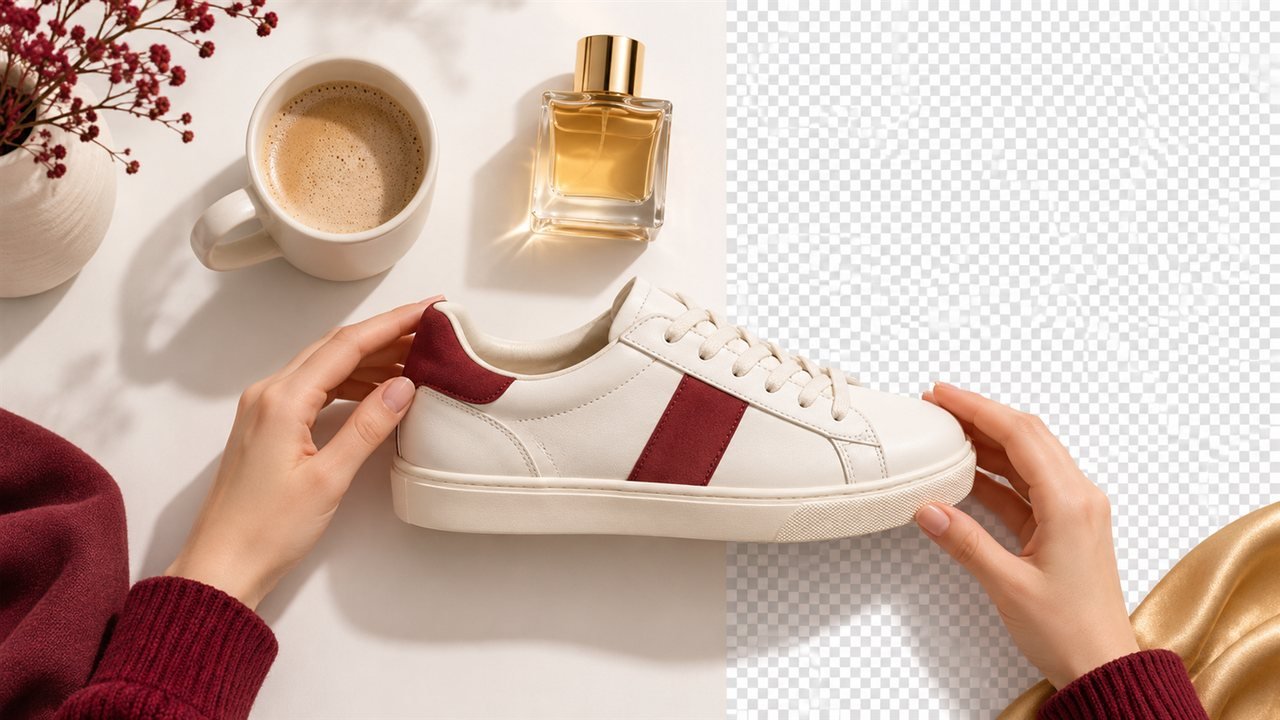
If you need to remove backgrounds in bulk for free, rembg can process a whole folder of product photos on your own computer, with no upload and no per-image fee. This guide shows online sellers how to install it, run batch jobs, choose a model and avoid the one licence detail that matters for commercial listings.
What rembg is and who it is for
rembg is an open-source tool by Daniel Gatis that "removes image backgrounds". You can use it as a command-line tool, a Python library, a small HTTP server or a Docker container. On GitHub it has about 25.6k stars and the code is under the MIT licence.
It is a good fit if you:
- sell on Shopee, TikTok Shop or Tokopedia and shoot dozens of product photos every week
- want transparent PNGs to place on clean white or branded backgrounds
- do not want to upload every photo to a web tool or pay per image
- are comfortable typing a few commands, or have a friend who is
It is not a full photo editor. It cuts the subject out. Lighting, colour and retouching are still up to you. For the bigger picture of free seller tools, see our roundup of free open-source tools for Shopee and TikTok Shop sellers.
What changed recently
The project ships often. According to the releases page:
- v2.0.80 moved models to
~/.rembg/models/, made bria-rmbg the default model and added ViTMatte edge refinement (-vm). - v2.0.86 (21 October 2026) added a
birefnet-general-fp16session, described as about 27–30% faster on CUDA, and allowed Pillow 13. - v2.0.87 (6 November 2026) fixed
rembg p -dso it only deletes inputs it actually processed, and hardened the HTTP server.
That timing is handy if you are preparing listings for the 12.12 sale season.
Install rembg (from the official README)
rembg needs Python 3.11, 3.12 or 3.13 (the README states >=3.11, <3.14). Pick one backend.
For a normal laptop without an NVIDIA card (CPU):
pip install "rembg[cpu,cli]"For an NVIDIA GPU (check onnxruntime-gpu compatibility first; CUDA and cuDNN may be needed):
pip install "rembg[gpu,cli]"If you prefer Docker, the README gives a CPU example:
docker run -v .:/data danielgatis/rembg i /data/input.png /data/output.pngModels download automatically the first time you use them, so the very first run needs internet. After that, local models run offline.
How to remove backgrounds in bulk with rembg
1. Organise your folders
Create two folders, for example raw for the original photos and cutout for the results. Keep the originals. You will want them later.
2. Run folder mode
The p command processes a whole folder:
rembg p raw cutoutEvery image in raw gets a transparent PNG in cutout. Add -w to keep watching the folder, so new photos are processed as soon as you copy them in:
rembg p -w raw cutout3. Test one photo with a different model
Use the i command for a single file and -m to choose a model:
rembg i -m birefnet-general raw/shoe-01.jpg test/shoe-01.png4. Fix soft or messy edges
The README lists edge modes. Pick one, they are alternatives:
- Naive (default): best for hard edges like boxes, bottles and gadgets.
- Decontaminate (
-dc): fixes coloured halos on soft edges. Cheap. - Alpha matting (
-a): re-estimates the mask. Slow. - ViTMatte (
-vm): network-based matting. Slow, around 110 MB extra download.
Hair, fur, plush toys and fabric fringes usually benefit from -dc or -vm.
Choosing a model (and the licence trap)
rembg bundles many models. A practical shortlist for sellers:
- u2net: the general-purpose baseline.
- u2netp: a lightweight u2net for slower computers.
- isnet-general-use: general use.
- birefnet-general and birefnet-general-lite: general use, the lite one lighter.
- u2net_cloth_seg: parses clothing on human portraits into upper, lower or full body.
- bria-rmbg: the default, about 1.02 GB, described as state of the art but slower.
Here is the important part. The README says model weights have their own licences and you should check them before commercial use. For bria-rmbg, the README states that its licence requires a paid agreement for commercial use. Product photos for a shop are commercial use. So if you sell, either arrange that agreement or pass -m with another model and read that model's licence first.
Also note that two backends are not offline: withoutbg and atlascloud send your images to their servers. If privacy is the reason you chose rembg, avoid them.
A batch workflow for marketplace listings
- Shoot consistently. Same angle, plain background, even light. Clean input means fewer fixes.
- Name files by SKU (for example
SKU123-front.jpg). rembg keeps names, so your catalogue stays organised. - Run
rembg pwith your chosen model on the whole folder. - Spot-check 10% of results at full zoom: edges, shadows, transparent parts like glass.
- Re-run problem shots one by one with
-dcor another model. - Place cutouts on a background in your design tool: white for the main image, branded colours for banners.
- Export at the size your marketplace asks for and keep the PNG masters for next season.
For videos and banners built from these cutouts, our guide to AI product promo videos shows the next step, and consistent brand visuals with AI images helps keep every listing on-brand.
For the tech-curious: Python and server mode
If you write scripts, the README shows this pattern:
from rembg import remove, new_session

session = new_session()
output = remove(input_bytes, session=session)
Creating the session once and reusing it is the README's advice for batch work. There is also a server mode (rembg s --host 0.0.0.0 --port 7000) with API docs at /api on that port, useful if a teammate wants to use it from a browser on your local network.
Mistakes to avoid
- Ignoring model licences. Check the licence of the model you use, especially for paid listings.
- Deleting originals. Folder mode has a delete option; v2.0.87 fixed it to only delete processed files, but keeping backups is still smarter.
- Using cloud backends by accident.
withoutbgandatlascloudare not offline. - Expecting magic on bad photos. A blurry or dark photo stays blurry and dark without a background.
- Wrong Python version. Python 3.14 is outside the supported range in the README.
Key takeaways
- rembg removes backgrounds in bulk, for free, on your own computer, with the
rembg pfolder command. - Install with
pip install "rembg[cpu,cli]"on Python 3.11 to 3.13. - The default bria-rmbg model needs a paid agreement for commercial use, so sellers should choose and check another model's licence.
- Use
-dcor-vmfor hair, fur and fabric edges. - Avoid the
withoutbgandatlascloudbackends if you want everything offline.
FAQ
Is rembg really free?
The rembg code is MIT-licensed and free. Model weights have their own licences, and the README says the default bria-rmbg model requires a paid agreement for commercial use.
Does rembg work without internet?
Yes for local models, after they download on first use. The withoutbg and atlascloud backends send images to online servers.
Can rembg handle hundreds of photos at once?
Yes. rembg p input output processes a whole folder, and -w keeps watching it for new files. Speed depends on your computer and the model.
Sources
Read next
 NEW
AI Voice Mode Comparison: ChatGPT, Gemini and Grok in 2026
An AI voice mode comparison for late 2026: ChatGPT GPT-Live-1.1, Gemini's 66 regional voices and Grok Voice 3.0, plus English practice tips.
Read more
 NEW
ChatGPT Work Tab Merges With Chat: What Changes for You
The ChatGPT Work tab is merging with Chat into one screen, and ChatGPT and Codex will share one token allowance. What changes and how to avoid hitting limits.
Read more
 NEW
Claude Fable 5.2: What's New in Anthropic's Flagship Model
Anthropic released Claude Fable 5.2 and Mythos 5.2 on November 9, 2026: faster, clearer explanations, stronger coding, and API prices down 20%.
Read more