
Immich Guide: A Google Photos Alternative You Host Yourself
Immich is a self-hosted Google Photos alternative with phone auto-backup and face search. Beginner setup on a mini PC or NAS, plus an honest cost check.
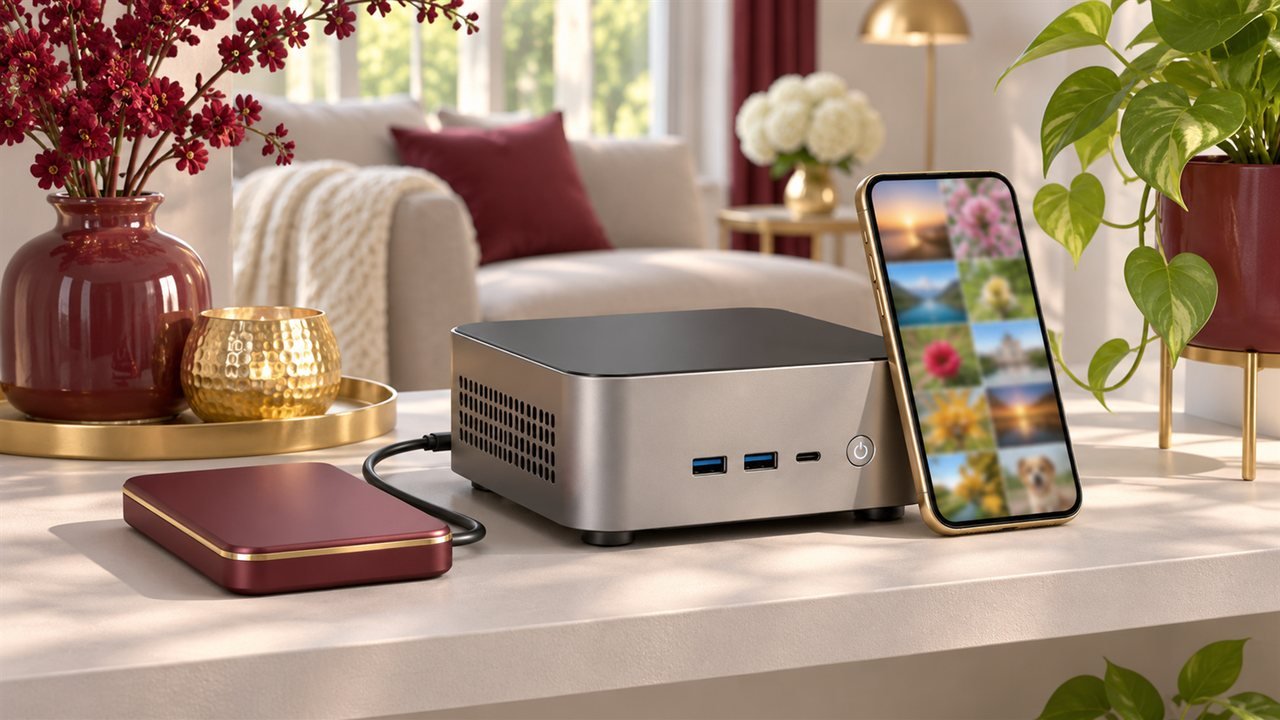
Immich is the most popular self-hosted Google Photos alternative: it backs up your phone automatically, recognises faces and lets you search photos by what is in them, all on hardware you own. This beginner guide covers the hardware, a step-by-step Docker setup on a mini PC or NAS, phone backup, face search, and an honest look at whether it actually saves money compared with Google One.
Immich, the Google Photos alternative, explained
Immich describes itself as a "high performance self-hosted photo and video management solution". It looks and feels a lot like Google Photos, with apps for Android and iOS plus a web interface.
Facts from GitHub in November 2026:
- License: AGPL-3.0.
- Popularity: about 119.7k stars, one of the most-starred self-hosted apps.
- Releases: v3.4.0 shipped on November 10, 2026, followed by v3.4.1 and v3.4.2 on November 18. The 3.4.0 notes highlight JPEG XL support, tags on mobile, workflow improvements and "a plethora of security fixes".
Features listed in the README include auto and background backup from the phone, duplicate prevention, RAW support, shared albums, partner sharing, a global map, OAuth login, Live Photo and Motion Photo playback, and search by metadata, objects, faces and CLIP (search by describing a scene, like "beach at sunset").
The README also opens with a warning worth repeating: always follow a 3-2-1 backup plan for your photos.
Who Immich is for
- Families with a growing phone library who are tired of storage warnings.
- Creators who shoot a lot of photos and videos and want them in one searchable place.
- Anyone who wants their personal photos off big-tech servers for privacy.
It is not ideal if you never want to touch a terminal. In that case, an encrypted hosted service like Ente Photos is a better fit.
Hardware: mini PC or NAS
The official requirements page asks for:
- OS: 64-bit Linux such as Ubuntu or Debian is recommended. Windows and macOS with Docker Desktop work but are discouraged.
- RAM: 6 GB minimum, 8 GB recommended. With only 4 GB you can run it with machine learning switched off.
- CPU: 2 cores minimum, 4 recommended, on amd64 or arm64.
- Storage: a Linux-friendly filesystem (EXT4, ZFS, BTRFS, XFS). NTFS and exFAT are not supported for the database. Keep the database on a local SSD, never a network share.
- Extra space: thumbnails and transcoded videos add roughly 10 to 20% to your library size.
Two common setups:
- Mini PC + external or internal drive. A small, quiet PC with 8 GB or more RAM running Ubuntu, with photos on a large second drive.
- NAS that supports Docker. Many NAS boxes can run containers. Check that the RAM meets the 6 to 8 GB requirement.
Step-by-step setup with Docker Compose
These steps follow Immich's official Docker Compose guide.
- Install Docker Engine and the Compose plugin on Ubuntu or Debian. Immich needs the modern
docker composecommand, not the olddocker-compose. - Create a folder:
mkdir ./immich-app
cd ./immich-app- Download the two official files from the latest release:
wget -O docker-compose.yml https://github.com/immich-app/immich/releases/latest/download/docker-compose.yml
wget -O .env https://github.com/immich-app/immich/releases/latest/download/example.env- Edit
.env: setUPLOAD_LOCATIONto a folder on your big photo drive,DB_DATA_LOCATIONto a folder on a local SSD, changeDB_PASSWORD(letters and numbers only), and setTZto your time zone, for exampleAsia/Jakarta. - Start it:
docker compose up -d - Open the web UI. The official compose file maps port 2283, so visit
http://your-server-ip:2283and create the admin account.
Phone auto-backup
- Install the Immich app from the App Store or Google Play.
- Enter your server address (for example
http://192.168.1.20:2283) and log in. - Choose which albums to back up and turn on background backup.
In a popular Hacker News discussion of saving money with Immich (114 points), users noted that uploads run over Wi-Fi by default and that the app can switch to your local network address at home. To back up while away, put the server behind a private VPN instead of opening ports to the internet. See my guide to Tailscale, NetBird and Headscale.
Face search and smart search
Immich's machine learning recognises and groups faces, then lets you name people. Smart search (CLIP) lets you type things like "red car" or "birthday cake". Tips:
- Give the first import time; machine learning on a large library takes hours on a small PC.
- Name the people you care about first, then merge duplicates.
- Version 3.4.0 added an OCR text trigger for workflows, and the release notes give the example of automatically adding receipts to an album.
Moving from Google Photos
Use Google Takeout to export your library. Commenters in the Hacker News thread recommended exporting in smaller chunks, checking files after download, and using bulk upload tools for large libraries. Keep Google Photos until you have checked everything in Immich. For a general approach to exports, see how to export and back up your platform data.
Does Immich really save money? An honest check
Google One prices shown on Google's Indonesian plans page in November 2026:
- 15 GB: free with every Google account.
- Lite, 30 GB: Rp 14,500 per month.
- Basic, 100 GB: Rp 32,000 per month.
- Google AI Pro, 5 TB: Rp 309,000 per month (bundled with AI features).
Prices differ by country, so check your local page.
A simple break-even formula
Break-even months = (hardware cost + drives) ÷ (monthly cloud price you would pay − monthly electricity cost)
Fill in your own numbers. A few honest points from the Hacker News discussion:
- One commenter estimated 4 to 5 years to recoup a home server for about 2 TB of photos, and said a NAS only pays off at much larger libraries.
- Others said the time spent maintaining it erases the savings, while some found it "set and forget" once backups were automated.
- Many said privacy, not cost, was their main reason to switch.
My view as a web developer: if you are under 100 GB, cloud storage is cheaper and easier. If you are heading past several hundred GB, or you already own a home server, Immich starts to make financial sense.
Backups: the part you must not skip
Self-hosting means you are the IT department. Follow 3-2-1: three copies, on two types of media, one off-site.
- Copy 1: the Immich photo drive.
- Copy 2: a second local drive or NAS, synced on a schedule.
- Copy 3: off-site, such as an encrypted cloud backup or a drive at a relative's house.
Also back up the database, and test a restore at least once. My storage and backup system guide has more detail.
Key takeaways
- Immich (AGPL-3.0, about 119.7k stars) is a self-hosted Google Photos alternative with phone backup, face recognition and smart search.
- Aim for 8 GB RAM, 4 CPU cores, Linux, and the database on a local SSD.
- Install with the official
docker-compose.ymland.env, then open port 2283. - It saves money mainly for large libraries; under 100 GB, cloud is usually cheaper.
- Always keep a 3-2-1 backup and check the official repo and docs yourself.
FAQ
Is Immich free?
Yes. Immich is open source under the AGPL-3.0 license. You pay only for your own hardware, drives and electricity.
Can Immich run on Windows?
It can run through Docker Desktop or WSL 2, but the official requirements discourage it and recommend Linux such as Ubuntu or Debian.
Is Immich as good as Google Photos?
For backup, browsing, face grouping and search, it is close. Users note that sharing outside your home network and maintenance are the weak spots.
Sources
Read next
 NEW
Free Open-Source Text-to-Speech in Late 2026 (Local, No Cloud)
Compare new open source text to speech models of late 2026, ZONOS3-Mini, Fish Audio Drama 3, Voxtral 3 and Woof, for narration, plus consent rules.
Read more
 NEW
HyperFrames by HeyGen: Free Open-Source AI Video Editor
HyperFrames by HeyGen turns a text prompt into an editable video project. How it works, how it differs from one-shot AI video, and a first project to try.
Read more
 NEW
claude-mem: Give Your Coding Agent a Memory Between Sessions
claude-mem gives Claude Code and other coding agents memory across sessions. How it captures and re-injects context, how to install it, what to keep private.
Read more